

The hardware conversation surrounding smart conference rooms is well established. From video bars to beamforming microphones to AI cameras, most IT buyers have a reasonable sense of how much it costs and what they get for it. What tends to catch organizations off guard is what’s on top of the hardware and how quickly it’s added.
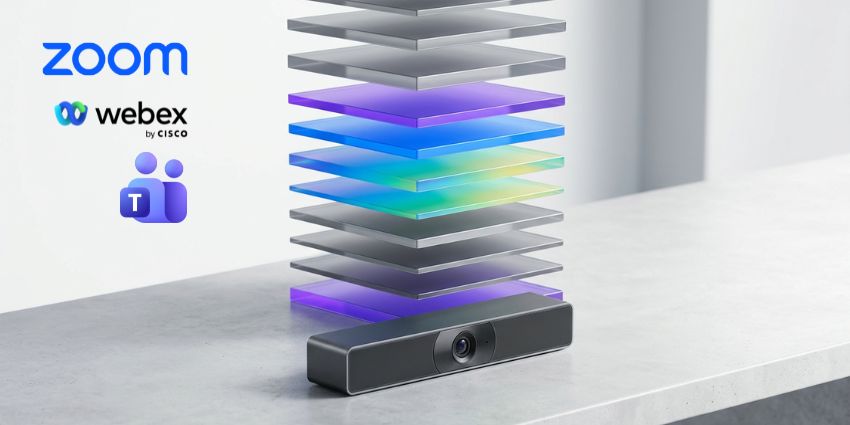
By 2026, smart meeting rooms will no longer just be equipped with video bars and platform licenses. AI capabilities are now embedded in cameras, audio systems, platforms, and a growing number of workflow tools that connect what happens in meetings and what happens afterwards. Each of these layers comes with a cost, and for most organizations the software and licensing stack now costs more to run annually than the hardware it costs to purchase.
Vivek Kar, head of Employee Interaction Suite at Tata Communications, told UC Today: “Each switch disrupts workflow continuity and adds cognitive load. This fragmentation reduces employee efficiency and contributes to collaboration burnout.”
He argues that the cost of creating a bad conference room environment isn’t just the hardware cost. It’s everything falling apart around you.
Hardware basis
Hardware costs vary depending on space size, but ballpark figures are consistent across vendors. Typically, a small room that seats four to six people will require a video bar in the $1,500 to $2,500 range. The Logitech Rally Bar Mini sits at the bottom of the midsize room tier at about $2,999. The Rally Bar itself, which includes medium to large rooms, is priced at $3,999 MSRP. Deploying a full conference room with a premium video bar, ceiling microphone array, and dedicated computing devices can cost between $10,000 and $25,000, depending on specifications.
This is a one-time capital cost that is amortized over the hardware lifecycle, which most organizations model as four to five years. At that rate, a $4,000 video bar would actually cost about $65 to $80 per month. This number is important when you start adding recurring costs.
For organizations considering AI-based hardware, Logitech’s Rally AI camera will be available this summer, priced at $2,499 for the standard model and $2,999 for the Pro. Add automated video analytics, space utilization data, and presenter view for educational environments. Henry Levak, Vice President of Products at Logitech for Business, explained ahead of InfoComm 2026: “Rally AI cameras are designed to support hybrid-first offices, where technology fades into the background and the digital and physical worlds blend.” The question is whether the AI layer is worth the premium over the standard Rally Bar, and that depends almost entirely on whether you have the IT resources and governance processes to actually use the analytics generated.
platform license
This is where costs start to vary depending on the platform.
Microsoft Teams Rooms Basic is free for up to 25 meeting rooms. Besides that, Teams Rooms Pro costs $40 per month. Pro delivers the features most enterprise IT teams need at scale, including real-time device health monitoring, remote restart, detailed room analytics, conditional access policies, and AI capabilities including IntelliFrame intelligent camera framing. For 50 rooms, that’s $24,000 per year before counting single-user licenses.
Zoom Rooms is a single tier, $49 per room per month, and AI Companion is included at no additional cost. This includes meeting summaries, smart recordings, and presenter attributions. Zoom’s annual price for 50 rooms is $29,400. Over a five-year hardware life cycle, the licensing difference between Teams Rooms Pro and 100-room Zoom Rooms is about $54,000 in Zoom’s favor.
Webex Rooms pricing varies by device and deployment tier. Organizations already using Webex Suite typically include meeting room device management. So for existing Cisco customers, the incremental cost per room is lower than Microsoft or Zoom.
AI secondary layer
This is a number that many budgets miss entirely.
Microsoft 365 Copilot unlocks meeting summaries, action item capture, and intelligent meeting summaries in Teams. In addition to the basic M365 license, the enterprise add-on costs $30 per user per month. For a 500-person organization with half of Copilot’s staff, the AI-assisted license alone costs $90,000 per year, before counting room hardware or room platform licenses.
A lighter alternative, Teams Premium costs $10 per user per month and includes intelligent meeting summaries without the full Copilot suite. For organizations that only need meeting intelligence capabilities rather than the broader Copilot capabilities across Word, Excel, and Outlook, Teams Premium is a cheaper route. But it’s still an extra.
Zoom includes AI Companion with all paid Workplace plans at no additional cost. This is a meaningful differentiator in total cost calculations. Organizations using Zoom Business will pay approximately $20 per user per month, which includes meeting summaries, transcripts, and action items. The Microsoft equivalent requires a $10 Teams Premium add-on or a $30 Copilot license on top of the base M365 plan.
Cisco bundles Webex AI capabilities into the Webex family, with higher tier features available at the enterprise tier. Organizations that are already paying for the Webex Suite will not pay extra for the AI Meeting Assistant.
Emerging Layer: Workflow AI
The workflow AI layer is a largely missing cost in the 2026 budget. It is a tool that connects what happens in meetings with what is recorded and executed in other business systems.
Zoom launched ZoomMate on June 1 for $20 per user per month. Connect meeting conversations to Salesforce, Jira, ServiceNow, and Slack to automatically create follow-ups, update records, and create deliverables from meeting context. Slackbot’s Meeting Intelligence feature is available to Slack Business Plus and Enterprise Plus customers. Listen to meetings running in Zoom, Google Meet, or Slack Huddles with desktop audio and record action items directly into Salesforce CRM. Monday.com’s Vibe AI Notetaker, part of the platform’s June 2026 update, attends calls and automatically populates boards with action items.
None of these cost much on a per-user basis. However, organizations deploying multiple AI workflow tools along with platform licenses and Copilot add-ons will find that their per-user monthly costs quickly add up beyond the original hardware budget they anticipated.
Real Costs: Real Stories
A mid-market organization with 20 meeting rooms and 200 users in Microsoft Teams planning to deploy a true AI-enabled smart room experience in 2026 would face annual expenditures of approximately:
- hardware (20 rooms, mix of small and medium, amortized over 5 years): Approximately $18,000 per year.
- Teams Rooms Pro License (20 rooms, $40 per month): $9,600 per year.
- Teams Premium for Meeting Intelligence (200 users, $10 per month): $24,000 per year.
- Total Annual Recurring Costs: $33,600, does not include hardware amortization costs. License costs alone are 87% higher than annual hardware costs.
If the same organization chooses Microsoft 365 Copilot instead of Teams Premium and licenses for 200 users who regularly attend meetings, the AI license line increases to $72,000 per year. At this point, the cost of the software stack is four times the annual hardware investment.
Questions worth asking before the next budget cycle
The point of this exercise is not that smart meeting rooms aren’t worth the investment. In most organizations, this is true. Forrester’s Total Economic Impact study of Microsoft Teams Rooms found that properly integrated meeting experiences resulted in a 342% ROI over three years. Barco’s Meetings Metrics show that 71% of employees still struggle with hybrid meetings. Both put mistakes behind their investment cases.
But hardware costs tend to dominate procurement conversations. The cost of actually operating a smart room is becoming smaller and smaller. As Neat CEO Javed Khan told UC Today in May, the market is moving toward understanding boardrooms beyond capturing them. These features come at a cost and most of them reside in the software stack above the device.
It’s worth asking three questions before your next room deployment or refresh cycle. What AI capabilities will we actually use? What is already included in the existing platform? Is the workflow AI layer what we need, or is it just something that looks good in the demo? With M365 prices rising on July 1st, this month becomes a reasonable moment to tackle all three.